
01
Overview
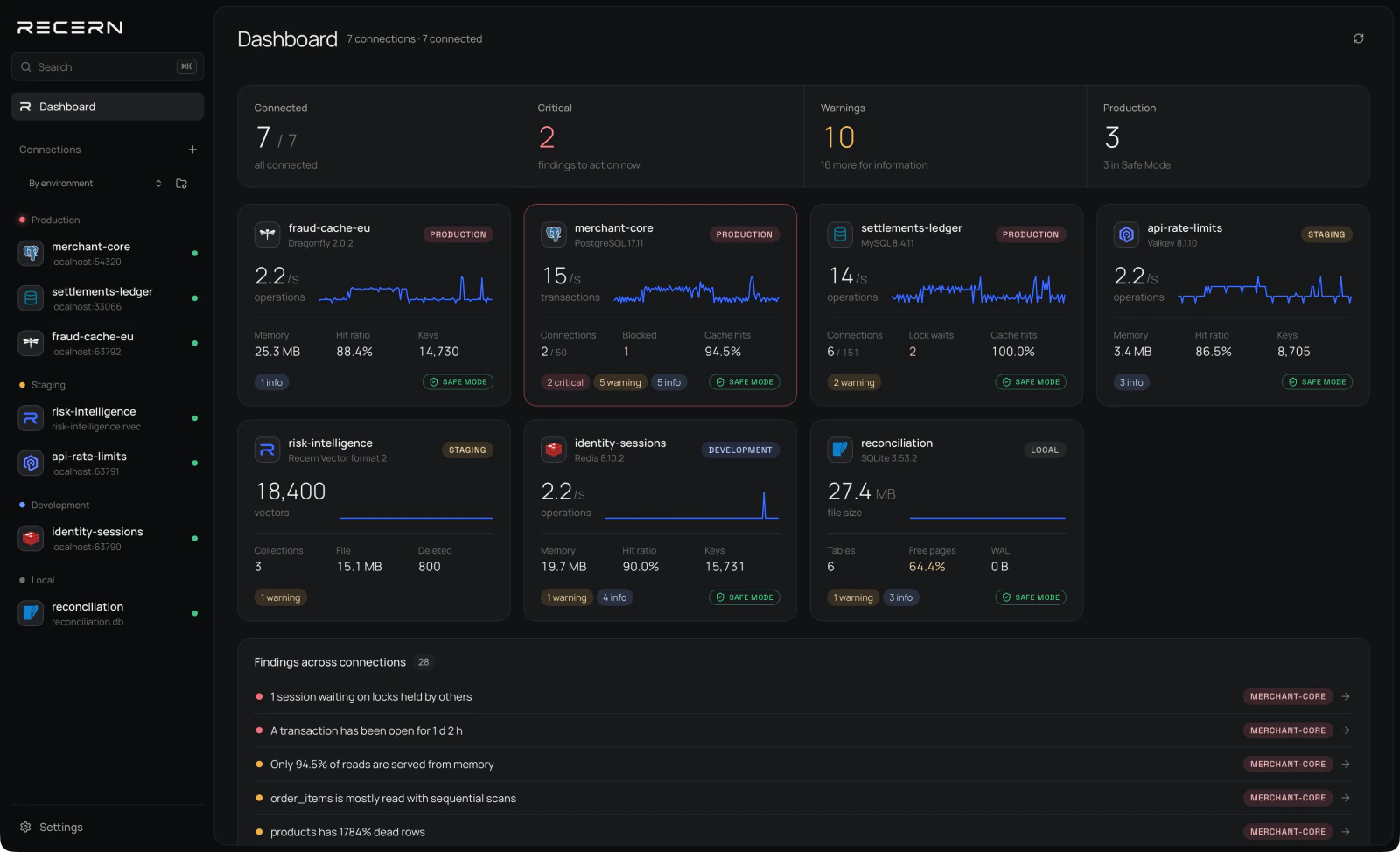
Is everything okay?
One workspace for your databases and vectors. Safe Mode for production.
Traditional database clients are built around tables, rows and query editors. Recern brings data, activity and performance into one workspace.
Is everything okay?
What is stored here?
What is happening right now?
What is slow or expensive?
Talk directly to the database.
Other database tools help you manage databases. Recern helps you understand them.
Each engine has its own way of working. Recern respects that — with workflows built around its runtime, not a generic interface.
Recern reads each server's own statistics and turns them into findings: a blocked session, an unused index, a collection full of deleted vectors. Each one leads to the view that explains it.
Inspect. Understand. Decide.
Production connections start in Safe Mode. PostgreSQL and MySQL use read-only transactions; SQLite opens read-only and blocks unsafe operations; Redis refuses commands that write. TLS and SSH tunnels are available for server connections. MongoDB, ClickHouse, Cassandra, Qdrant and OpenSearch consoles are read-only in this version. TLS support through SSH depends on the engine; see the connection documentation. Use a dedicated read-only account and query limits; Safe Mode does not replace database permissions or prevent expensive reads.
Confidence before every command.
Recern Vector 0.3.0 combines local HNSW search, WAL and int8 storage with a portable Python API and verified migration to Qdrant. Native Rust, Node.js and CLI APIs remain available.
MIT or Apache-2.0. Version 0.3.0 uses stable format 2 and reads format 1. Benchmark figures are the published baseline before 0.2.0.
import recern_vector as rv

db = rv.Database.open_or_create("docs.rvec")
docs = db.create_collection("docs", dim=384, metric="cosine")
docs.upsert_many(ids, embeddings, metadatas)

hits = docs.search(query, k=5, filter={"lang": "en"})
docs.explain(query, k=5) # strategy, visited nodes, timefaiss HNSW throughput at recall 0.95 on SIFT1M
the same comparison on GloVe-100
to index one million vectors
Workspace inspects pgvector columns and indexes, Redis search indexes and vector sets when the server supports them, and Recern Vector snapshots with committed WAL changes. Recall checks are available for Recern Vector collections, including f32 and int8.

Direct answers about the workspace, supported databases and Recern Vector.
Recern is a desktop workspace for databases. It brings activity, performance and the findings that need attention into one clear view, and keeps production connections safe by default. Alongside it we build Recern Vector, an open-source embedded vector database.
Recern Workspace 0.5.0 supports PostgreSQL with pgvector, MySQL, MongoDB, ClickHouse, Cassandra, Qdrant, OpenSearch, SQLite, Redis, Valkey, Dragonfly and Recern Vector files. Microsoft SQL Server is planned for 1.0.0.
Workspace inspects pgvector columns and indexes, Redis search indexes and vector sets when the server supports them, and Recern Vector snapshots with committed WAL changes. Recall checks are available for Recern Vector collections, including f32 and int8.
Production connections start in Safe Mode. PostgreSQL and MySQL use read-only transactions; SQLite opens read-only and blocks unsafe operations; Redis refuses commands that write. TLS and SSH tunnels are available for server connections. MongoDB, ClickHouse, Cassandra, Qdrant and OpenSearch consoles are read-only in this version. TLS support through SSH depends on the engine; see the connection documentation. Use a dedicated read-only account and query limits; Safe Mode does not replace database permissions or prevent expensive reads.
Recern is a desktop app for macOS, Windows and Linux. Builds appear on the download page as soon as they are released.