
Locks
Who is waiting on whom
Wait chains show the blocked statement, the session that holds the lock and how long its transaction has been open.

Recern connects to your databases and shows what they are doing: who is waiting on whom, where query time goes, what fills the memory. Each finding points to the view that explains it.
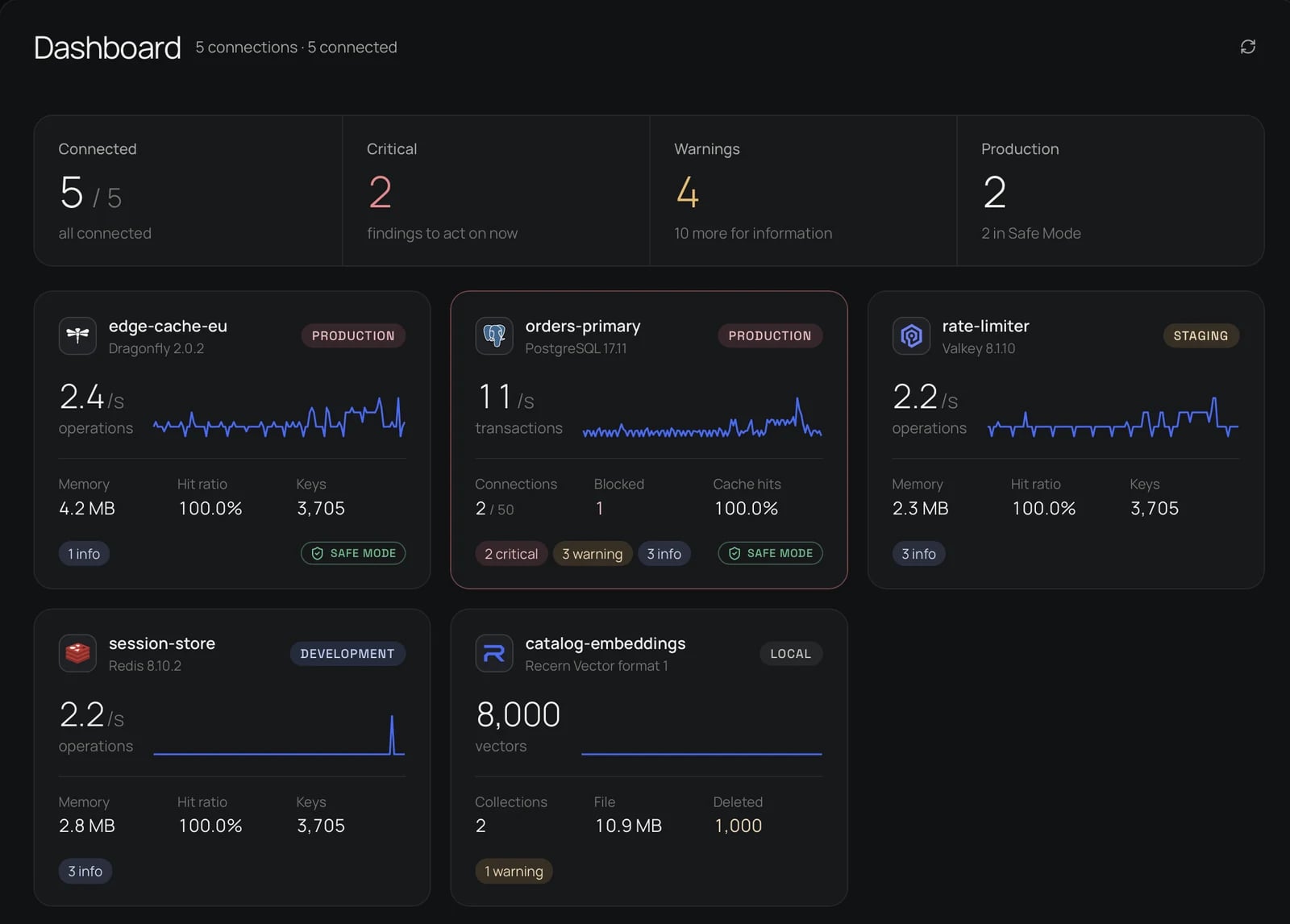
Throughput, memory and open findings for each connection, grouped by environment. Production is marked, and critical findings come first.
Wait chains show the blocked statement, the session that holds the lock and how long its transaction has been open.
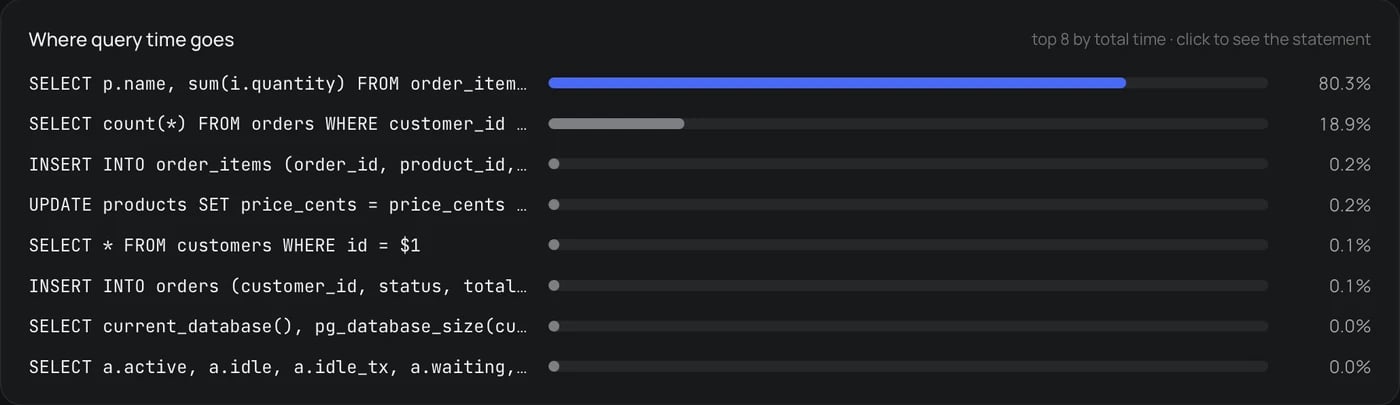
With pg_stat_statements installed, Recern ranks statements by total time, calls, rows and disk reads, so the expensive ones stand out.
Data, key overhead, scripts and client buffers, the peak and fragmentation, and used memory over the last hour.

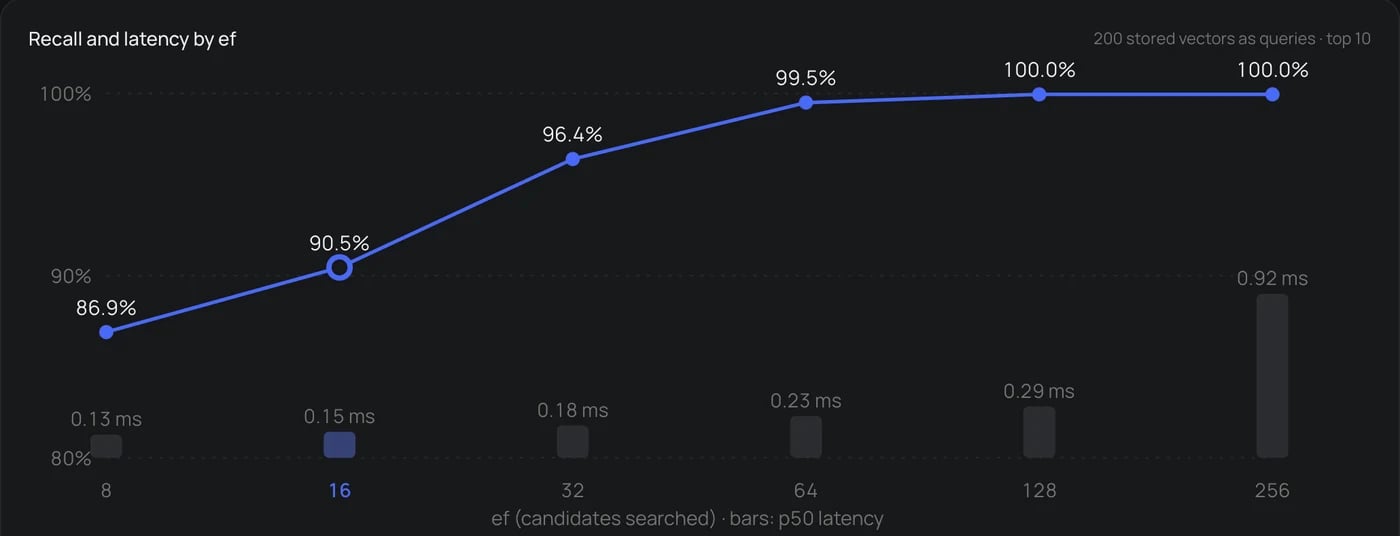
Recern compares approximate search with exact search at every ef, so you see what raising ef_search buys and what it costs.
Production connections open in Safe Mode, marked in the window and on the dashboard.
In Safe Mode, SQL runs in a read-only transaction that is always rolled back, and Redis commands that write are refused.
Reach private databases through a bastion with a password, a key or your SSH agent. Host keys are checked against known_hosts.
Connections can require TLS with certificate checks. Passwords are kept in the system keychain, never in the configuration file.

Recern 0.0.1 for macOS, Windows and Linux.