
Build your first vector search in Python
Create a small local database, search it with a metadata filter, and inspect how the search ran. The example is complete: it needs the released Python package and no server, account or embedding-model download.
1. Start in a fresh folder
Create a project folder and a Python virtual environment. Use CPython 3.11 or later on a supported platform.
mkdir recern-first-search
cd recern-first-search
python -m venv .venv
Activate it with source .venv/bin/activate on macOS/Linux, or .venv\Scripts\Activate.ps1 in Windows PowerShell. Then install the release used in this guide:
python -m pip install recern-vector==0.4.0
2. Create and search a collection
Save the following as first_search.py. The three-dimensional vectors are deliberately small, illustrative inputs. They are not embeddings produced from the text. For semantic retrieval on your own documents, replace them with vectors from the same embedding model and set dim to that model's output dimension.
import recern_vector as rv

with rv.Database.open_or_create("first-search.rvec") as db:
    if "notes" not in db:
        db.create_collection("notes", dim=3, metric="cosine")
    notes = db["notes"]
    notes.upsert_many(
        ["postgres", "redis", "vector", "design", "music"],
        [[0.98, 0.15, 0.0], [0.93, 0.25, 0.1],
         [0.8, 0.4, 0.2], [0.0, 1.0, 0.0], [0.0, 0.0, 1.0]],
        [{"topic": "databases", "title": "PostgreSQL locks"},
         {"topic": "databases", "title": "Redis memory"},
         {"topic": "databases", "title": "Vector search"},
         {"topic": "design", "title": "Interface layout"},
         {"topic": "music", "title": "A listening list"}],
    )
    query = [1.0, 0.0, 0.0]
    hits = notes.search(query, k=2, filter={"topic": "databases"})
    for hit in hits:
        print(hit.id, round(1 - hit.distance, 3), hit.metadata["title"])
    report = notes.explain(query, k=2, filter={"topic": "databases"})
    print("strategy:", report.strategy)
    print("records:", len(notes))
    db.checkpoint()
Run it:
python first_search.py
Expected result:
postgres 0.988 PostgreSQL locks
redis 0.961 Redis memory
strategy: filtered_exact
records: 5
Similarity here is 1 - cosine distance. The metadata filter keeps the result in the databases topic. With so few matching records, the planner can choose an exact scan; a graph search is not automatically the best plan for every filter and collection size.
The script upserts stable IDs, so running it again in the same fresh project keeps five records rather than appending duplicates. The context manager saves successful changes. checkpoint() makes a self-contained snapshot while this single owner has finished writing.
3. Reopen without allowing writes
Use the read-only API when another tool should inspect the file:
import recern_vector as rv

db = rv.Database.open_read_only("first-search.rvec")
print(db.collection_names())
print(len(db["notes"]))
The output includes notes and a record count of 5. Keep the writer closed while copying the checkpointed snapshot to another machine.
4. Inspect it in Workspace
In Recern Workspace, add a Recern Vector connection and choose first-search.rvec. Open Overview, Index and Recall. Your collection is named notes; this tiny example will not have the scale or graph structure of a real embedding dataset.
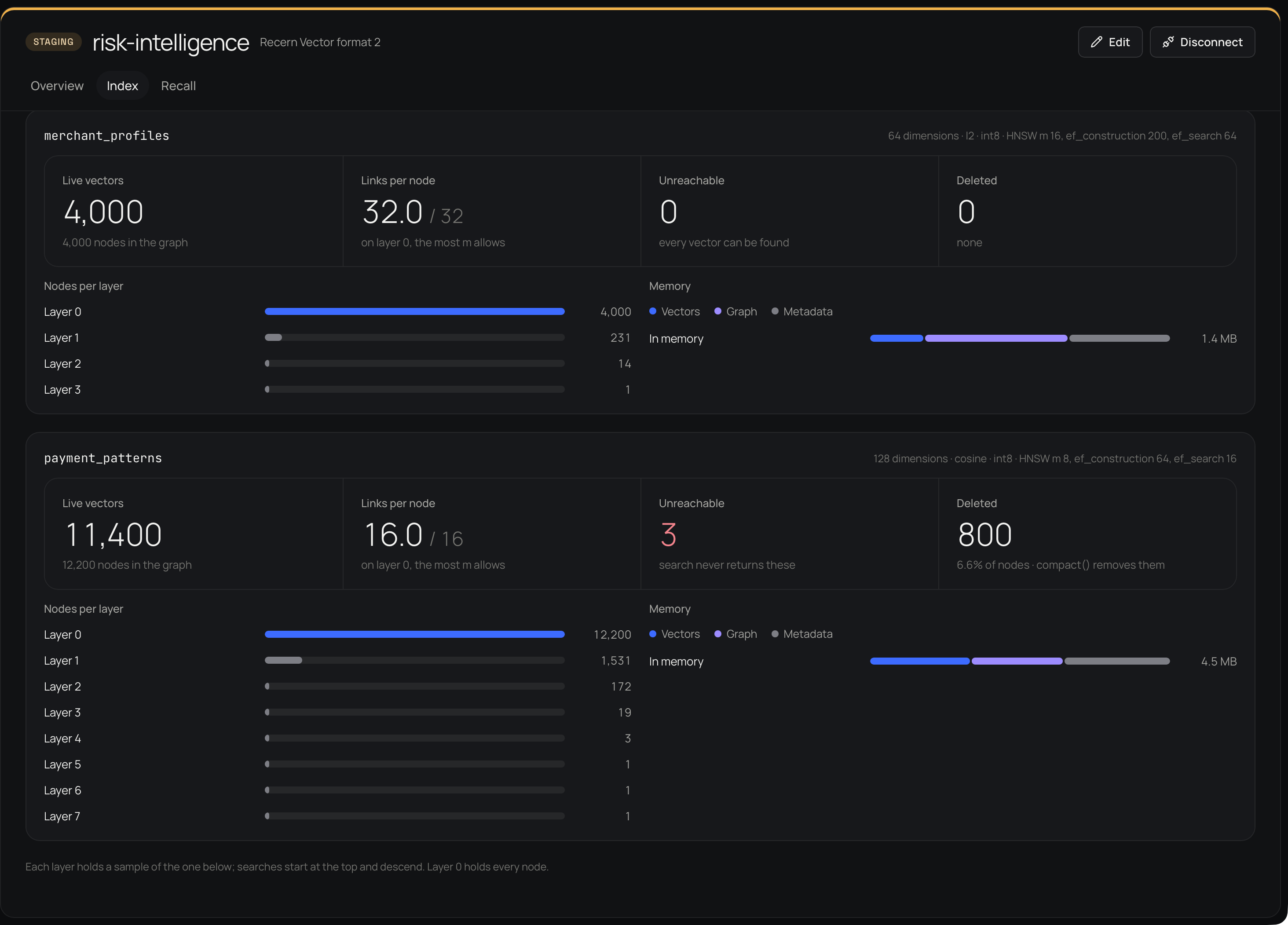
The screenshot shows the same Index view on the larger fintech demo, not the five-record database created above. Demo counts and timings are not benchmark results for this guide.
Next: use your own embeddings
Encode documents and queries with the same model. Keep their dimensions and preprocessing consistent, store the document text or an external reference in metadata, and upsert stable IDs. Evaluate retrieval on queries that matter to your application before increasing the collection size.
Continue with filters, inspection and recall, or the portable clients if you need the HTTP server or Qdrant. A local example does not establish production, distributed or high-availability behavior; see the current limits.